
API#
Taubot V2.1 exposes an HTTPS API available at https://taubot.qzz.io/api, refered to in this documentation from here on out as TBAPI. The main usage of TBAPI is to enable applications and businesses to automate different aspects of Taubot such as transferring funds from one account to another.
Authentication#
Please fill out the API application form to request an application be made and a key to be provided.
TBAPI relies on two kinds of API keys: Master and Grant.
Master Key |
Grant Key |
|---|---|
Master keys are issued to applications and are notable for their ability to create Grant keys. |
Grant keys are issued to individuals by the Department of Technology in order to enable them to control their personal accounts. Primarily, they are issued by users to applications to grant the application a subset of permissions on a certain account. |
The key being used to make a request should be set as the Authorization HTTP header, for example:
Authorization: Bearer YOUR_KEY_HERE
Warning
Master keys expire in 60 days, while Grant keys expire in 90 days.
App authorization flow overview#
This section pertains to the creation of Grant keys by users for applications.
This process ensures that users maintain full control over their spending limits while providing the application with a key to control their account.
- The gist of the process is as follows:
Application posts to the
POST /api/references/registerendpoint, using a Master key with a query parameter of the permissions they wish to get, and receives a UUID.Application gives the user a manufactured grant link using the UUID from the response.
User visits the grant link and authenticates with Discord.
User sets their preferred spending limit and authorizes the application.
User returns to application and confirms that they’ve completed the authorization process.
Application retrieves their Grant key from
POST /api/references/{ref_id}, whereref_idis the UUID from the application’s response in step 1.
Warning
The application has up to an hour from the completion of the first step to complete this process.
More detailed explanations for the major parts of the process are provided below.
Permissions#
TBAPI uses bitmasks to bundle multiple permissions into a single integer, similar to Discord’s authentication system for adding bots to servers.
TBAPI currently allows applications to request the following permissions. These permissions are the same as the permissions defined in the backend. We may update this list in the future to allow applications to request more of Taubot’s permissions in accordance with demand, technical capabilities and security.
Constant |
Value |
Description |
|---|---|---|
|
1 |
Allows the application to view an account’s balance. |
|
3 |
Allows the application to transfer funds from an account. |
For example, if an application wishes to request both VIEW_BALANCE and TRANSFER_FUNDS, the resulting bitmask will be 10.
>>> (1 << 1) | (1 << 3)
10
Receiving a reference UUID#
As mentioned in the gist, the application must send a request to POST /api/references/register endpoint through a Master key with a query parameter of the permissions they wish to get.
Endpoints#
- POST /api/references/register#
Note
This endpoint can be used by both Master keys and Grant keys. See Updating the grant key.
Registers a reference to create a new Grant key from a Master key, or a reference to update an existing Grant key.
- Query Parameters:
permissions – The permissions integer bitmask. Required for creating new keys, but optional for updating existing keys.
- Response JSON Object:
uuid – A unique reference UUID.
- Status Codes:
200 OK – Returns a reference UUID.
400 Bad Request – Permissions bitmask is empty or malformed.
403 Forbidden – Request was made with a Grant key instead of the original Master key.
Example Response (200 OK)
{
  "uuid": "331fa966-33e4-4513-82ee-890f97e3f6ec"
}
Constructing a grant URL#
After receiving the reference UUID from the TBAPI, the application must construct a grant URL in the format /api/oauth/grant?ref_id={ref_id}&app_id={app_id}, where ref_id is the reference UUID it received and app_id is the application’s own ID, and give it to the user.
Using the UUID from the above example response, this may look like:
https://taubot.qzz.io/api/oauth/grant?ref_id=331fa966-33e4-4513-82ee-890f97e3f6ec&app_id=02d60c91-3362-4dc5-8c55-0a69e8f35ed6
Authorization on the user’s end#
Once the user visits this grant URL, they will be redirected to Discord’s authentication page, and then to TBAPI’s grant page, where they are shown the permissions the application is requesting and are allowed to set a spending limit or disable the spending limit.
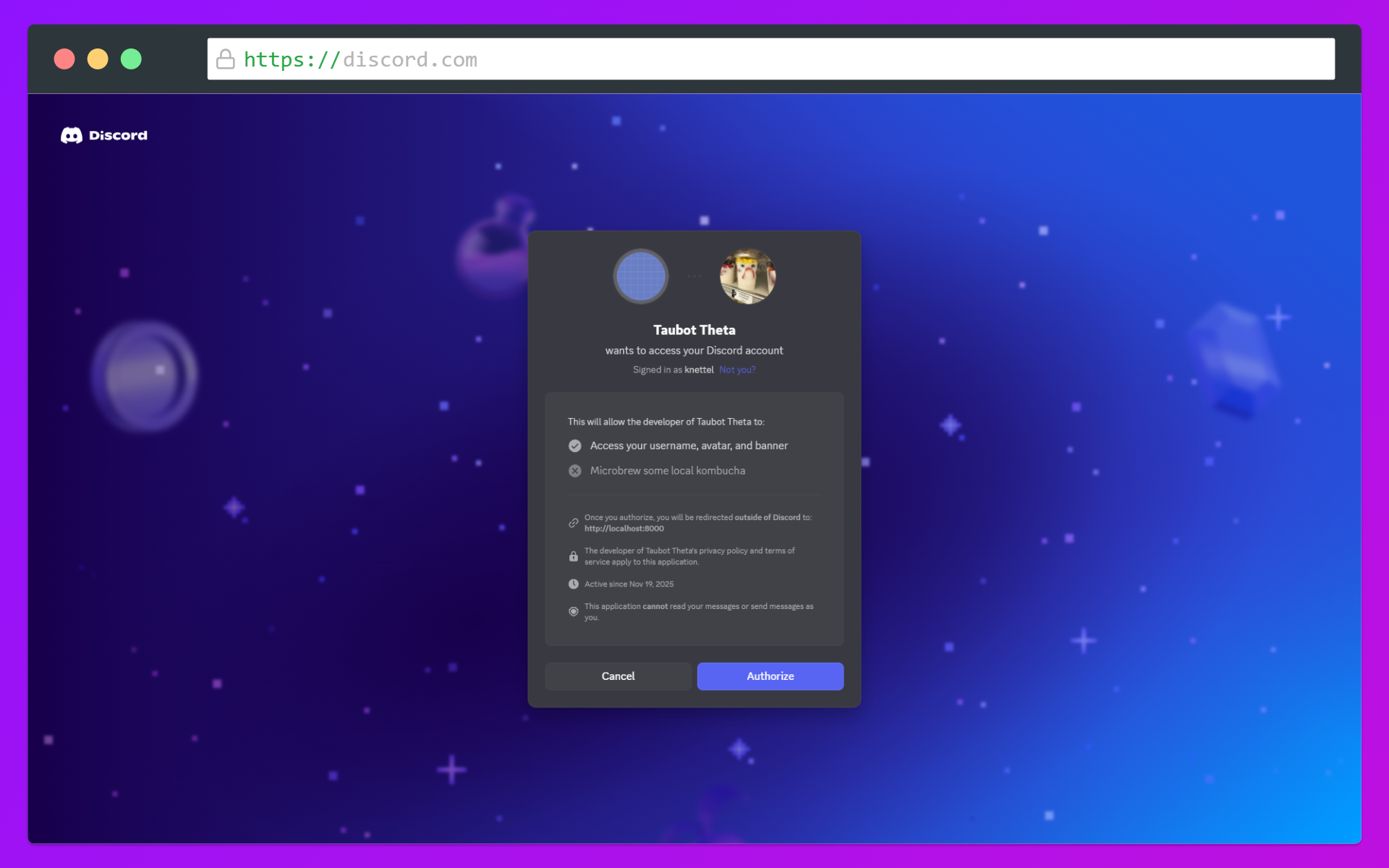
Discord authenatication page#
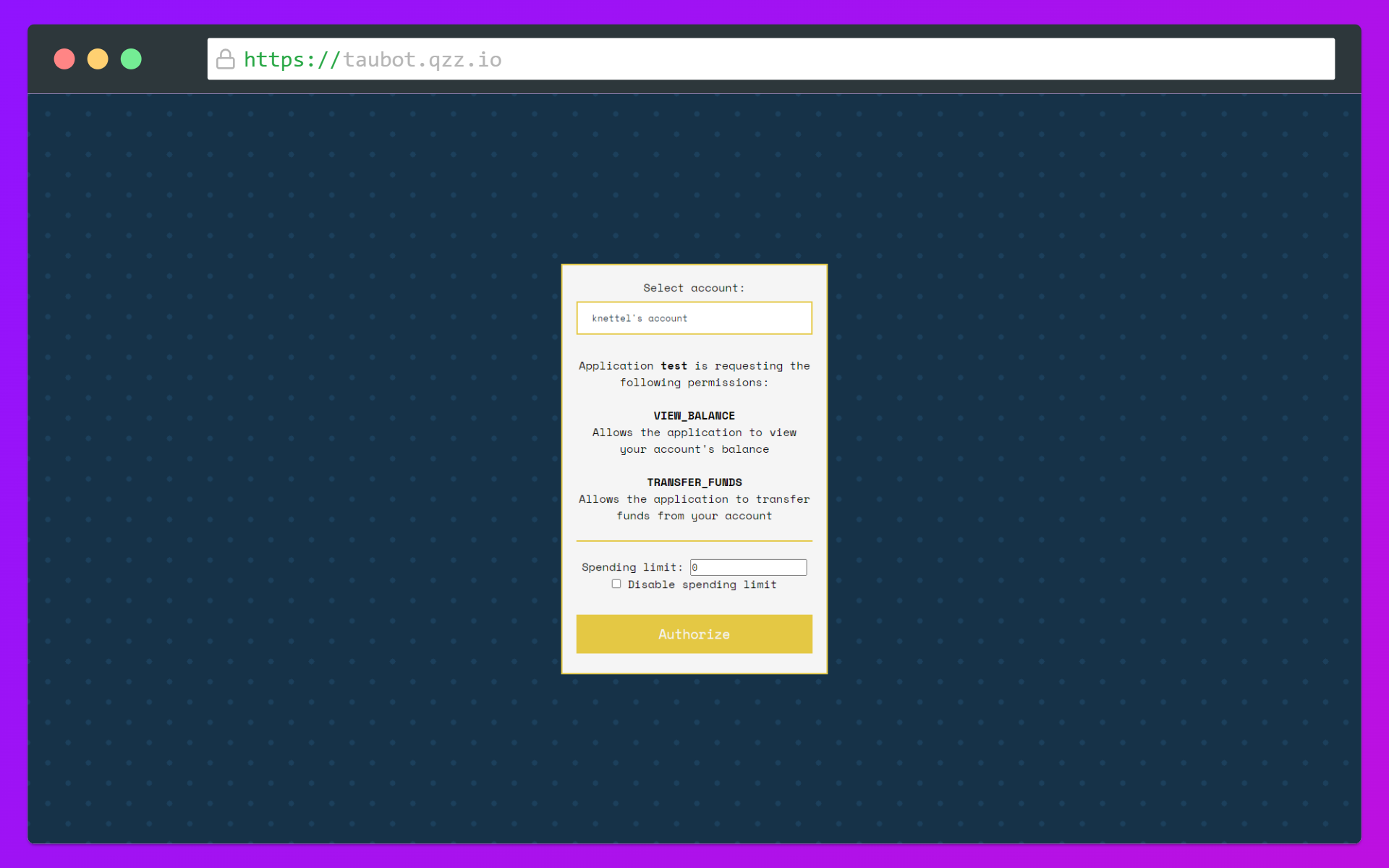
TBAPI grant page#
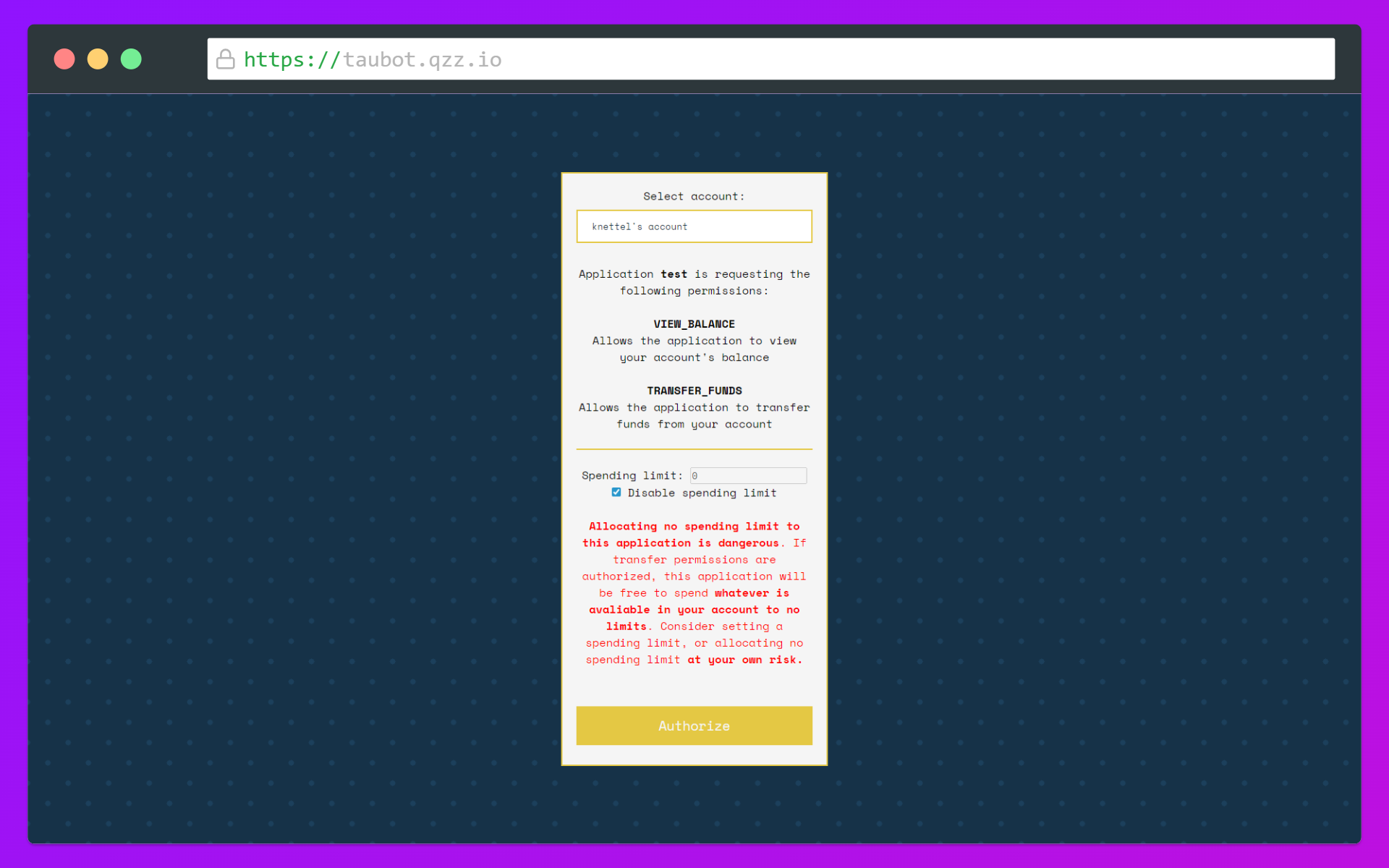
Spending limit warning when disabled#
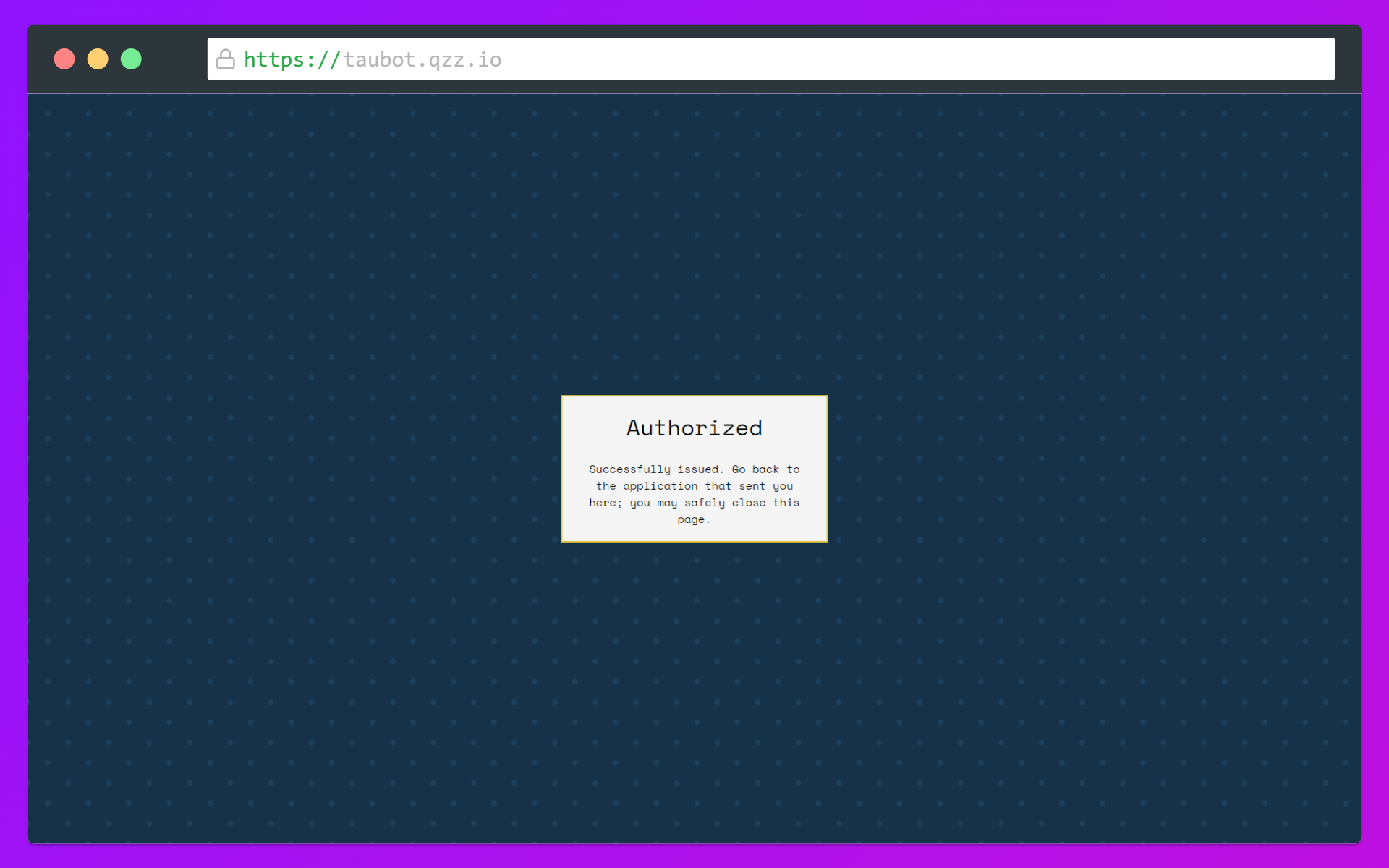
Authorization confirmation#
Retrieving the grant key#
After the user has informed the application that they’ve authorized the application, the application must retrieve their Grant key by sending a request to POST /api/references/{ref_id} with ref_id replaced with the reference UUID the application received earlier.
Endpoints#
- POST /api/references/{ref_id}#
Retrieves a reference’s Grant key. This request must be sent the key that requested it; i.e. a Master key cannot retrieve a reference made through a Grant key.
- Path ref_id:
The reference UUID supplied by TBAPI.
- Status Codes:
200 OK – Returns a Grant key.
400 Bad Request – The reference UUID is invalid or malformed.
403 Forbidden – The user has not yet authorized the application, or the request is made using the wrong type of key.
404 Not Found – The reference was not found.
Example Response (200 OK)
{
  "key": "eyJhbGciOiJSUzUxMiIsInR5cCI6IkpXVCJ9..."
}
Example Response (200 OK, Grant key reference)
{
  "key_id": 1,
  "spending_limit": 1000,
  "permissions": []
}
Updating the grant key#
In case your application’s grant key has reached the spending limit, or you need access to more permissions than initially authorized, you can send a POST /api/references/register request using the same grant key, instead of creating a new one. At the end of the update process (which is the exact same as the authorization process), your grant key will be updated, and the POST /api/references/{ref_id} will return the updates that were requested.
Endpoints#
- POST /api/references/{ref_id}#
Retrieves a reference’s Grant key. This request must be sent the key that requested it; i.e. a Master key cannot retrieve a reference made through a Grant key.
- Path ref_id:
The reference UUID supplied by TBAPI.
- Status Codes:
200 OK – Returns a Grant key.
400 Bad Request – The reference UUID is invalid or malformed.
403 Forbidden – The user has not yet authorized the application, or the request is made using the wrong type of key.
404 Not Found – The reference was not found.
Example Response (200 OK)
{
  "key_id": 1,
  "spending_limit": 1000,
  "permissions": []
}
API reference#
Response Types#
Application#
Key |
Type |
Description |
|---|---|---|
application_id |
String |
The application’s UUID |
application_name |
String |
The name of the application |
economy_name |
String |
The application’s economy currency name |
economy_id |
String |
The application economy’s UUID |
owner_id |
String |
The application owner’s ID |
Account#
Key |
Type |
Description |
|---|---|---|
account_id |
String |
The account’s UUID |
owner_id |
String |
The account owner’s ID |
account_name |
String |
The name of the account |
account_type |
String |
The type of account |
balance |
Integer |
The balance of the account in cents (for example: 100 would be 1 of a currency and 101 would be 1.01 of a currency) |
Transaction#
Key |
Type |
Description |
|---|---|---|
actor_id |
String |
The ID of the user or API key that performed this transaction |
timestamp |
Double |
The Unix timestamp of when the transaction took place, returned as a float |
from_account |
String |
The account UUID of the account the money was transferred from |
to_account |
String |
The account UUID of the account the money was sent to |
amount |
Integer |
The amount in cents that was transferred |
API Key#
Key |
Type |
Description |
|---|---|---|
key_id |
Integer |
The key’s ID |
application_id |
String |
The UUID of the application owning the key |
type |
String |
The key’s type |
enabled |
Boolean |
Whether the key is enabled or disabled |
Endpoints#
- GET /api/key#
Gets information about the requesting key.
Example Response (200 OK)
{
  "key_id": 2,
  "application_id": "f47ac10b-58cc-4372-a567-0e02b2c3d479",
  "type": "MASTER",
  "enabled": true
}
- GET /api/applications/{app_id}#
Gets an application by its UUID.
- Path app_id:
The application’s UUID.
- Status Codes:
200 OK – Returns an Application object.
400 Bad Request – Application UUID is invalid or malformed.
404 Not Found – Application not found.
Example Response (200 OK)
{
  "application_id": "f47ac10b-58cc-4372-a567-0e02b2c3d479",
  "application_name": "test",
  "economy_name": "test",
  "economy_id": "af93101b-8301-4f97-96b5-dcfa9a28f90a",
  "owner_id": "809875420350119958"
}
- GET /api/applications/me#
Gets the requesting key’s parent application.
- Status Codes:
200 OK – Returns an Application object.
Example Response (200 OK)
{
  "application_id": "f47ac10b-58cc-4372-a567-0e02b2c3d479",
  "application_name": "test",
  "economy_name": "test",
  "economy_id": "af93101b-8301-4f97-96b5-dcfa9a28f90a",
  "owner_id": "809875420350119958"
}
- GET /api/applications/users/{user_id}#
Gets a user’s applications.
- Path user_id:
The user’s Discord ID.
- Status Codes:
200 OK – Returns a list of Application objects.
400 Bad Request – User ID is a non-integer value.
403 Forbidden – The requesting key does not have the permission to view user applications (
MANAGE_ECONOMIES).
Example Response (200 OK)
[
  {
     "application_id": "f47ac10b-58cc-4372-a567-0e02b2c3d479",
     "application_name": "test",
     "economy_name": "test",
     "economy_id": "af93101b-8301-4f97-96b5-dcfa9a28f90a",
     "owner_id": "809875420350119958"
  }
]
- GET /api/accounts#
Gets an account matching a specific name or owned by a specific user. Only one query parameter must be provided.
- Query Parameters:
user_id – The user’s Discord ID.
name – The account’s name.
- Status Codes:
400 Bad Request – Both or neither of
user_idandnamewere entered, or the user ID is a non-integer value.404 Not Found – Account not found.
Example Request (HTTP)
GET /api/accounts?user_id=809875420350119958 HTTP/1.1
Host: taubot.qzz.io
Authorization: Bearer ...
Note
The requesting key must have the
VIEW_BALANCEpermission to get the account’s balance, else the balance returned will benull.Example Response (200 OK)
{
  "account_id": "021b1643-fcec-4cbb-bc00-ea136155e2e8",
  "owner_id": "809875420350119958",
  "account_name": "<@!809875420350119958>'s account",
  "account_type": "USER",
  "balance": null
}
- GET /api/accounts/{acc_id}#
Gets an account by its UUID.
- Path acc_id:
The account’s UUID.
- Status Codes:
400 Bad Request – Account UUID is invalid or malformed.
404 Not Found – Account not found.
Note
The requesting key must have the
VIEW_BALANCEpermission to get the account’s balance, else the balance returned will benull.Example Response (200 OK)
{
  "account_id": "021b1643-fcec-4cbb-bc00-ea136155e2e8",
  "owner_id": "809875420350119958",
  "account_name": "<@!809875420350119958>'s account",
  "account_type": "USER",
  "balance": null
}
- GET /api/accounts/me#
Note
This endpoint is limited to Grant keys only.
Gets the account linked to the requesting key.
Note
The requesting key must have the
VIEW_BALANCEpermission to get the account’s balance, else the balance returned will benull.Example Response (200 OK)
{
  "account_id": "021b1643-fcec-4cbb-bc00-ea136155e2e8",
  "owner_id": "809875420350119958",
  "account_name": "<@!809875420350119958>'s account",
  "account_type": "USER",
  "balance": null
}
- POST /api/transactions/create#
Note
This endpoint is limited to Grant keys only.
Creates a new transaction; i.e. transfers fund from the requesting key’s account to another account.
- JSON Parameters:
to_account_id – The UUID of the destination account.
amount – The amount to transfer in cents.
- Status Codes:
200 OK – Transaction is successful.
400 Bad Request – To account UUID is invalid or malformed.
403 Forbidden – Error code 1000 - Cannot transfer from and to the same account.
403 Forbidden – Error code 1001 - Insufficient funds.
403 Forbidden – Error code 1002 - Spending limit reached.
404 Not Found – To account not found.
Example Request Body
{
  "to_account_id": "021b1643-fcec-4cbb-bc00-ea136155e2e8",
  "amount": 10000
}
Example Response (403 Forbidden)
{
  "error_code": 1000,
  "detail": "Cannot transfer from and to the same account"
}
Example Response (200 OK)
{
  "detail": "Successfully performed transaction"
}
- GET /api/transactions#
Note
This endpoint is limited to Grant keys only.
Get the transactions of the requesting key’s account.
- Query Parameters:
limit – (Optional) The amount of transactions to return. Must be greater than 0 and less than 100.
sort – (Optional) Whether to sort the transactions in ascending or descending order of date.
0- newest first,1- oldest first.before – (Optional) Filter transactions made before a float timestamp.
after – (Optional) Filter transactions made after a float timestamp.
- Status Codes:
200 OK – Returns a list of Transaction objects.
400 Bad Request – Error code 2000 - Invalid sort mode.
400 Bad Request – Error code 2001 - Limit is less than or equal to 0.
400 Bad Request – Error code 2002 - Limit is greater than 100.
403 Forbidden – The requesting key does not have the permission to view transactions (
VIEW_BALANCE).
Example Request (HTTP)
GET /api/transactions?limit=10&sort=1 HTTP/1.1
Host: taubot.qzz.io
Authorization: Bearer ...
Example Response (403 Forbidden)
{
  "error_code": 2000,
  "detail": "Sort mode must be either: 0 - newest first, 1 - oldest first"
}
Example Response (200 OK)
[
  {
    "actor_id": "2",
    "timestamp": 1770647320.966851,
    "from_account": "021b1643-fcec-4cbb-bc00-ea136155e2e8",
    "to_account": "d107dd80-54de-4537-bd0c-fb63b9b0aff6",
    "amount": 300
  },
  {
    "actor_id": "3",
    "timestamp": 1770632032.316085,
    "from_account": "021b1643-fcec-4cbb-bc00-ea136155e2e8",
    "to_account": "d107dd80-54de-4537-bd0c-fb63b9b0aff6",
    "amount": 30000
  }
]